Entry Control Model Settings
You can select a traffic entry control model to apply to the segment.
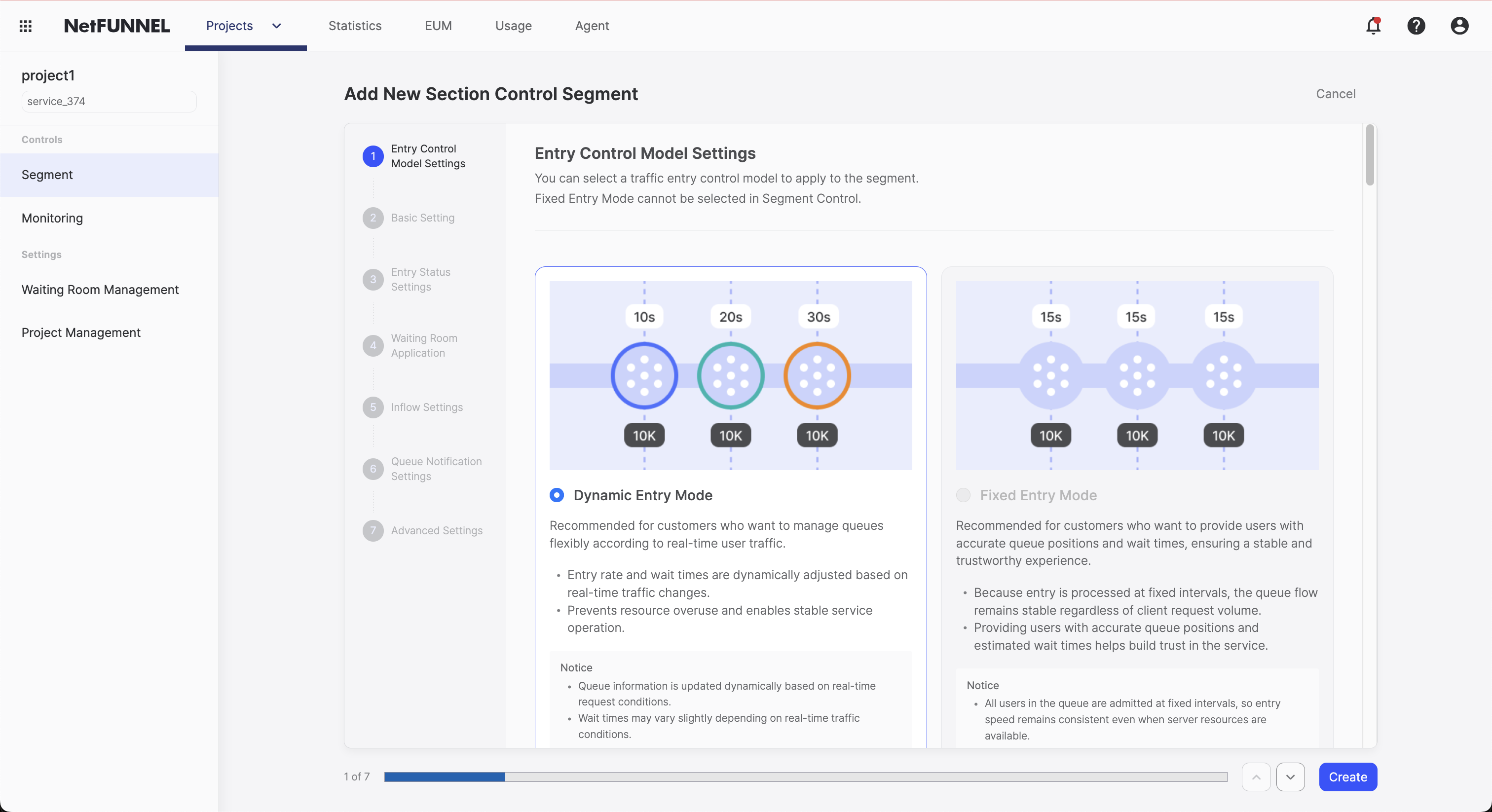
Overview
The Entry Control Model Settings allows you to select a traffic entry control model to apply to the segment.
In Section Control segments, only Dynamic Entry Mode is available. Fixed Entry Mode cannot be selected.
Entry Control Model Types
NetFUNNEL provides two entry control models. However, in Section Control segments, only Dynamic Entry Mode is available:
Dynamic Entry Mode
Recommended for customers who want to manage queues flexibly according to real-time user traffic.
Key Features:
- Entry rate and wait times are dynamically adjusted based on real-time traffic changes
- Prevents resource overuse and enables stable service operation
Notice:
- Queue information is updated dynamically based on real-time request conditions
- Wait times may vary slightly depending on real-time traffic conditions
Fixed Entry Mode
Fixed Entry Mode is not available in Section Control segments. This mode is only available in Basic Control segments.
Recommended for customers who want to provide users with accurate queue positions and wait times, ensuring a stable and trustworthy experience.
Key Features:
- Because entry is processed at fixed intervals, the queue flow remains stable regardless of client request volume
- Providing users with accurate queue positions and estimated wait times helps build trust in the service
Notice:
- All users in the queue are admitted at fixed intervals, so entry speed remains consistent even when server resources are available
Configuration Process
The Entry Control Model Settings is configured through the following steps:
Step 1: Access Entry Control Model Settings
- Navigate to Section Control Segment in NetFUNNEL
- Click "Entry Control Model Settings"
- Review the configuration screen
Step 2: Select Entry Control Model
In Section Control segments, only Dynamic Entry Mode is available for selection. This mode manages queues flexibly based on real-time traffic.
Step 3: Save Settings
- Save settings: Save the changes