Advanced - Assign Person in Charge
Assign a responsible Operator to each Section Control segment. This helps identify who is authorized to manage and modify the segment.
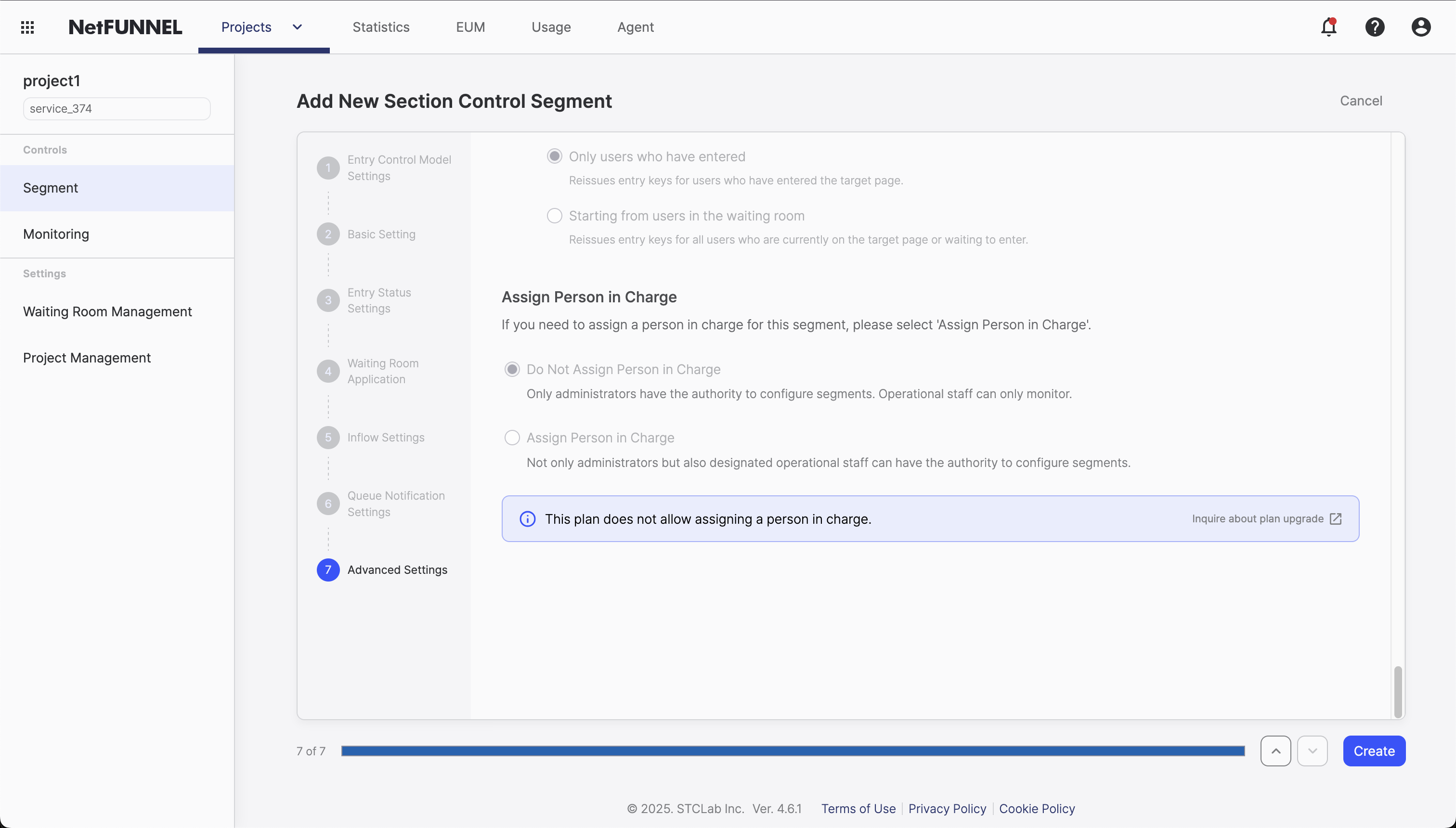
Overview
This feature allows you to assign an Operator (a role with limited permissions) to be responsible for a specific segment. Operators have permission to modify only the segments assigned to them.
What This Feature Does
- Assign a specific Operator to manage a segment
- Restrict segment modification to the assigned Operator
- Track who is responsible for each segment
- Default: No assignment (segment remains unassigned)
Configuration
Default Behavior
Do Not Assign Person in Charge (default):
- No Operator is assigned
- No segment-specific restrictions apply
Assign Person in Charge:
- Assign an Operator to manage the segment
- Only assigned Operator can modify the segment
- Responsibility is clearly defined
Configuration Steps
- Navigate to your segment's settings (creation or edit mode)
- Go to Advanced Settings section
- Choose assignment option:
- Do Not Assign Person in Charge: Leave unassigned (default)
- Assign Person in Charge: Assign an Operator
- If assigning: Type the Operator's user name (user ID search is not supported)
- Select from list: Matching Operators with the corresponding role are displayed
- Multiple assignments: You can assign multiple Operators to one segment
- Save Configuration: Apply your settings
How the Assignment Works
Finding an Operator:
- Type the Operator's user name in the search field (user ID search is not supported)
- As you type, matching user names with Operator role appear in a dropdown list
- Select the desired Operator(s) from the list
- You can select multiple Operators for one segment
Operator Requirements:
- Must have Operator role granted by Admin
- Operator role provides limited permissions
- Only assigned Operators can modify their segments
Understanding Operator Role
Operators have very limited permissions and can only modify segments assigned to them. This provides controlled access while maintaining security.
Role Hierarchy:
- Admin: Grants Operator role and assigns Operators to segments
- Operator: Can only modify segments assigned to them
Best Practices
When to Assign
Assign an Operator when:
- You want specific team members to manage specific segments
- You need controlled access to segments
- Compliance requires documented responsibility
Keep unassigned when:
- Segment doesn't need specific ownership
- Multiple people need access
- Temporary or test segments
Managing Assignments
- Regular review: Check who is assigned to each segment
- Update assignments: Change as team structure evolves
- Document purpose: Keep track of why each Operator was assigned
FAQ
Can I change the assignment after creation?
Yes. You can change the Person in Charge assignment at any time by editing the segment settings.
What happens if an Operator is removed?
If an Operator is removed from the project, the assignment becomes empty and the segment returns to unassigned state.
Can multiple Operators be assigned?
Yes. You can assign multiple Operators to one segment. All assigned Operators can modify the segment.
What if I don't assign anyone?
The segment remains unassigned. The default behavior (Do Not Assign) applies.
For related configuration options, see Basic Settings and other Advanced Settings documentation.